Can You Track a Walk with Just an Apple Watch? (No Phone Needed)
 Derek Clark · · Updated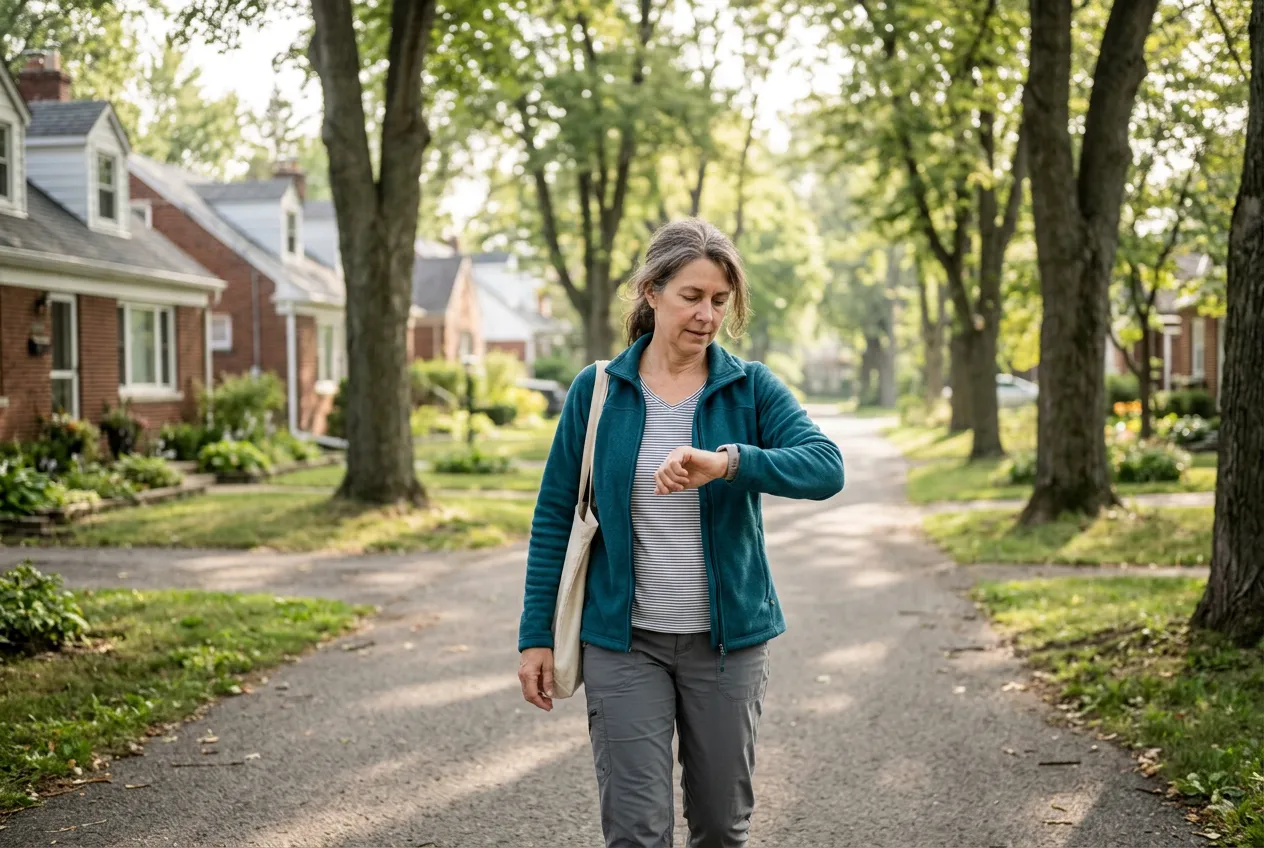
Walking out the door without your phone feels a little strange at first. No podcasts queued up, no texts buzzing in your pocket, nothing to fiddle with. Just you and the sidewalk. But if you wear an Apple Watch, one question probably nags at you before you even reach the corner. Will my walk still count?
The good news is that it will. Your Apple Watch can track a full walk (distance, pace, heart rate, even a map of your route) while your iPhone sits on the kitchen counter. You don’t need the more expensive cellular version, and you don’t need to change any settings. The watch handles everything on its own and fills in your phone later.
Let’s go through exactly how that works, which models can do it, and a few things worth knowing before you leave the phone behind for good.
First, Check Your Watch Model (Almost Everyone Is Fine)
The one ingredient you need is GPS, the satellite technology that lets your watch know where you are and how far you’ve traveled. Apple added built-in GPS with the Series 2 back in 2016, and the pitch at the time was exactly this: precise distance, pace, and speed for outdoor walks, runs, and rides without needing to take an iPhone along.
Every model since then has GPS too. That includes every SE, every numbered Series, and every Ultra. The only Apple Watches without it are the original 2015 model and the Series 1. If you’re still wearing one of those, hats off to you, but you’ll need your phone in a pocket for accurate distance.
So the short version: if you bought your watch in the last eight or nine years, it can track your walk entirely on its own.
GPS vs. Cellular: Which One Do You Actually Need?
When you shop for an Apple Watch, you’ll see two versions of most models. GPS, and GPS + Cellular. People often assume the cellular one is required for phone-free walking. It isn’t.
The GPS model tracks your walk perfectly well by itself. Distance, pace, heart rate, route, all of it gets recorded right on your wrist. What the GPS-only model can’t do while you’re away from your phone is communicate. No calls, no texts, no streaming.
The cellular version has its own connection to the cell network, so with a service plan added through your carrier, you can make calls and send texts from your wrist with the phone at home. For a lot of walkers, especially anyone who walks alone or wants family to be able to reach them, that peace of mind is the whole reason to upgrade. It’s a nice option. It’s just not a requirement for tracking.
What Your Watch Records When You Walk Phone-Free
Start an Outdoor Walk in the Workout app (or in a walking app with its own watch app, more on that below) and your watch quietly collects everything you’d expect:
- Distance. Measured by the watch’s own GPS, not estimated from steps.
- Pace. Your current and average minutes per mile, right on your wrist. If you’re not sure what a good pace even looks like, we’ve covered how fast you should walk in detail.
- Heart rate. The sensor is on the back of the watch, touching your skin, so it works exactly the same with or without the phone.
- Calories and exercise minutes. Your rings fill in like always.
- Your route. The watch records the GPS trail of where you walked, ready to draw on a map later.
According to Apple’s own support page, a watch away from its iPhone can also track sleep, play music and podcasts you’ve stored on it, and even make purchases with Apple Pay. Your morning walk can include a coffee stop with nothing but the watch on your wrist.
What Happens When You Get Back Home
This is the part that surprises people the most, in a good way. Nothing gets lost.
When you finish your walk and come back within range of your iPhone, the watch syncs everything over automatically. Your workout shows up in the Fitness app on the phone with the full details, including a map of your route drawn from the GPS data the watch collected. You don’t have to press anything or remember to transfer it. Wander back into the kitchen, and a minute or two later it’s all there.
That’s worth repeating, because it’s the worry that keeps most people carrying a phone they don’t want to carry. The watch is not a lesser version of the tracker. It is the tracker. The phone is just where you read the results afterward.
Practical Tips for a Phone-Free Walk
A few small things make watch-only walks go smoothly.
Load up your audio the night before. A GPS-only watch can’t stream, so download music, podcasts, or audiobooks to the watch itself while it’s on the charger. Then pair Bluetooth headphones (AirPods or any Bluetooth earbuds) directly to the watch. Set it up once and it becomes routine.
Start the workout at the door. Give the watch a few seconds outside to lock onto GPS satellites before you take off. Open sky helps. Standing under your covered porch scrolling menus does not.
Calibrate your watch once. Apple recommends a simple 20-minute outdoor walk at your normal pace in an open area with good GPS reception. The watch learns your stride length, which makes distance estimates better everywhere, including spots where GPS gets spotty like tree-covered trails.
Don’t stress about battery. GPS does use more power than everyday watch stuff, but the numbers are comfortable. Apple’s battery page lists up to 7 hours of outdoor GPS workout time for the SE 3, up to 8 hours for the Series 11, and up to 14 for the Ultra 3. A 45-minute walk barely dents any of them, even on a watch that’s a few years old.
The Honest Limitations
Phone-free walking is genuinely great, but let’s be fair about the trade-offs.
If you have the GPS-only model, you’re unreachable while you’re out, the same as walking with no devices at all. For some people that’s the entire appeal. For others it’s a dealbreaker, and that’s exactly who the cellular model exists for.
If you want the full breakdown, see Can You Work Out While Intermittent Fasting? What the Science Says.
You also won’t review much on the watch itself. The screen is small, and the detailed maps and charts live in the Fitness app on your phone after the sync. The watch is for recording and glancing, not analyzing.
And streaming is off the table without cellular. Forget to download that podcast episode the night before and you’ll be walking with your thoughts. Which, honestly, isn’t the worst thing that could happen.
Third-Party Walking Apps Work Standalone Too
Apple’s built-in Workout app isn’t your only option. Developers can build watch apps that run independently, using the watch’s own GPS and heart rate sensor, then syncing to the phone later just like Apple’s app does. If an app you like offers a standalone watch app, the whole experience above applies to it too.
Walking-focused apps tend to show friendlier stats than Apple’s all-purpose Workout app, with pace, distance, and history laid out for walkers instead of marathoners. Vima Walk, for example, recently updated its Apple Watch app to track walks fully standalone, so you can start a walk from your wrist with no iPhone anywhere nearby and everything syncs when you’re back. If you want to compare options, we’ve rounded up the best walking apps for 2026 too.
However you track it, the real win is walking more. If you need a nudge on that front, take a look at what happens when you walk every day for a month. The watch just makes it easier to prove to yourself that you did it.
So yes. Leave the phone on the counter. Your walk will count, your map will be waiting when you get home, and your pockets will thank you.
FAQ
Do I need the cellular Apple Watch to track a walk without my phone?
No. The regular GPS model records distance, pace, heart rate, and your route entirely on its own. Cellular only matters if you want to make calls, send texts, or stream audio while you’re away from your iPhone.
Will I still get a map of my route?
Yes. The watch records your route using its built-in GPS while you walk. When you’re back near your iPhone, the workout syncs automatically and the route map appears with your workout details in the Fitness app.
Does heart rate tracking work without the iPhone?
Yes, completely. The heart rate sensor is built into the back of the watch and reads from your wrist, so it doesn’t rely on the phone at all.
How long will the battery last on a GPS walk?
Longer than almost any walk you’d take. Apple rates the SE 3 for up to 7 hours of outdoor GPS workout time, the Series 11 for up to 8, and the Ultra 3 for up to 14. Older watches get less, but a typical 30 to 60 minute walk is still an easy ask.
Can I listen to music or podcasts without my phone?
Yes, with one catch. On a GPS-only watch you need to download the audio to the watch ahead of time and pair Bluetooth headphones directly to it. Cellular models can also stream. Either way, do the setup at home, not standing on the sidewalk.

Derek Clark
Co-founder of Vima Fitness. Building simple, privacy-focused fitness apps for iPhone and Apple Watch since 2011. Runner, cyclist, and firm believer that fitness apps shouldn't need a tutorial.