Do Walking Pads Actually Work? What to Expect From an Under-Desk Treadmill
 Derek Clark · · Updated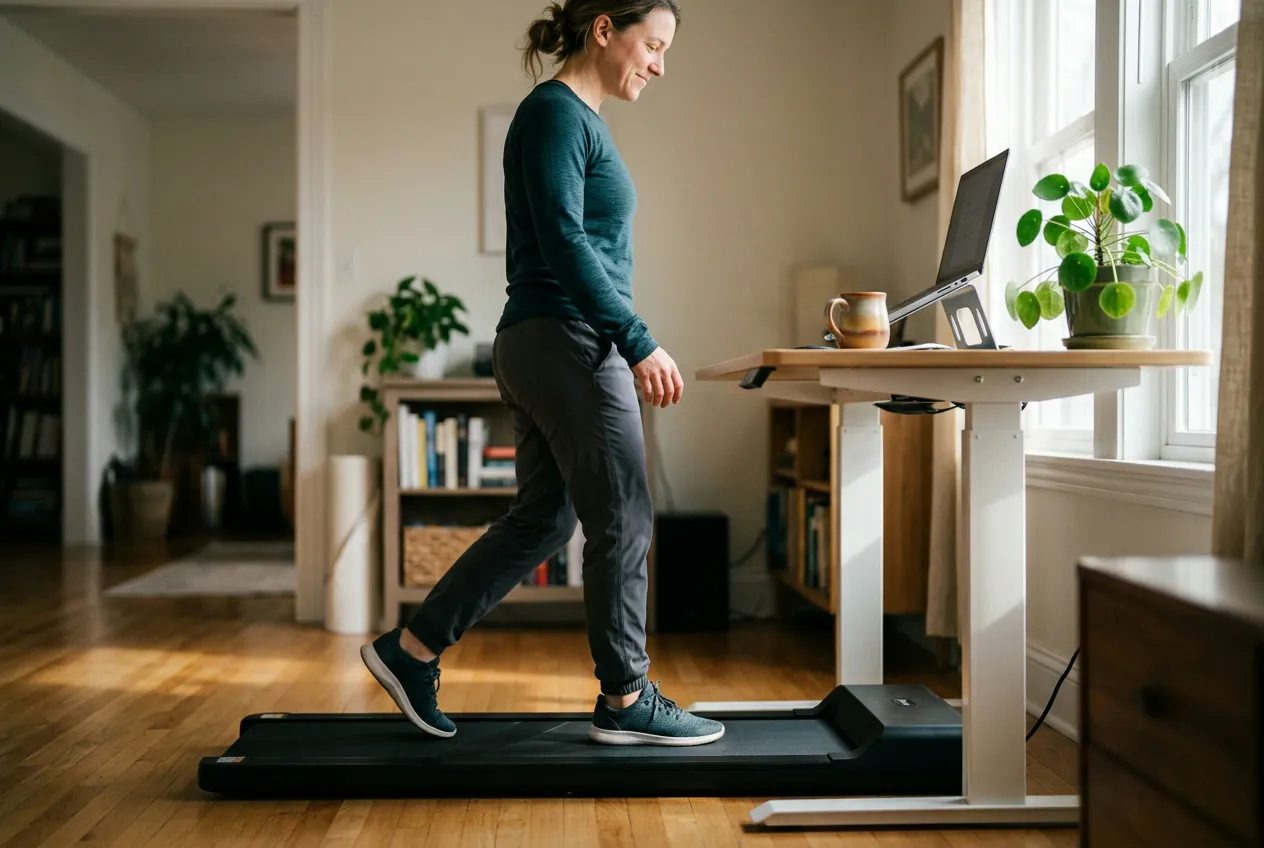
Yes, walking pads work, as long as you’re clear about what “work” means. At a realistic working pace of 1.5 to 2.5 mph, a walking pad gets you roughly 5,000 to 6,300 steps and 170 to 360 calories per hour depending on your weight, and it swaps sitting for light activity for as many hours as you can stand it. What it won’t do is replace a real workout. So when people ask “do walking pads work,” the honest answer is yes for steps, daily movement, and sitting time, and no if you’re expecting the fitness gains of a brisk 30-minute walk or a run.
Below is what a walking pad actually is, what pace you can hold while typing, what the research on treadmill desks found, and how to make sure your steps get counted.
So, Do Walking Pads Work? The Short Answer
They work for three things.
Steps. An hour at 2 mph is close to 5,800 steps. Two hours a day and you’ve covered most of a daily step goal without leaving your desk. (If you’re not sure what that goal should be, we broke down how many steps you actually need, and it’s less than 10,000 for most people.)
NEAT. That’s non-exercise activity thermogenesis, the calories you burn from everything that isn’t sleeping, eating, or a workout. Mayo Clinic researcher James Levine’s work found NEAT can differ by up to 2,000 calories a day between two people of similar size, mostly because of their jobs. A walking pad is basically a way to turn a sedentary job into an active one.
Sitting time. Hours of unbroken sitting are the problem a walking pad solves best, and it’s the one benefit that shows up in every study.
Where they don’t work: cardiovascular fitness. Walking at 2 mph is around 3 METs (metabolic equivalents), the very bottom of moderate intensity. You’ll burn calories, but your heart rate barely moves. A walking pad is a supplement to real exercise, not a substitute for it.
What Is a Walking Pad vs. a Treadmill?
A walking pad is a low, flat, motorized belt with no console, no arms, and usually no incline. That’s the whole idea. It slides under a standing desk and the deck sits around 4 to 5 inches off the floor.
Compared with a full treadmill, here’s what to expect.
- Speed caps around 3.5 to 4 mph. WalkingPad’s A1 Pro tops out at 3.75 mph and UREVO’s current models at 4.0 mph. That’s a brisk walk, not a jog. Consumer Reports notes these machines are designed only for walking.
- No incline on most. A few newer models add a modest auto-incline (UREVO lists 0 to 9% or 0 to 14% on some), but the classic flat pad has none.
- No handrails. Some brands sell a clip-on rail as an accessory. Otherwise it’s you and a belt.
- Lower weight limits. Consumer Reports’ testing found capacities max out around 220 pounds for most pads, with belt widths between 14 and 19.75 inches. Heavier-duty models like the WalkingPad A1 Pro list 230 or 300 pounds. Check the spec before you buy, and treat it as a hard ceiling.
- Around 55 to 65 pounds. Lighter than a treadmill, but not something you’ll want to carry up stairs every week.
Consumer Reports’ bigger warning is about quality. Of the many pads they tested, only five earned a recommendation. One belt tore during durability testing, and safety keys on several machines stopped the belt abruptly instead of slowing it down. Stick with a brand that has a real warranty and real customer service.
How Fast Can You Walk on a Walking Pad While Working?
Slower than you think. Almost everyone who types on a walking pad settles between 1.5 and 2.5 mph. Below 1.5 feels like shuffling. Above 2.5 and your typing starts to fall apart (more on that below).
Here’s what those paces mean in steps and calories. Cadence comes from the CADENCE-Adults study, which hand-counted steps at each treadmill speed. Calories use MET values from the Compendium of Physical Activities for treadmill walking at 0% grade (2.8 METs at 1.5 mph, 3.0 at 2.0 mph, 3.5 at 2.5 mph).
| Pace | Steps per minute | Steps per hour | 130 lb | 155 lb | 185 lb | 215 lb |
|---|---|---|---|---|---|---|
| 1.5 mph | 84 | ~5,000 | 173 cal | 207 cal | 247 cal | 287 cal |
| 2.0 mph | 96 | ~5,800 | 186 cal | 221 cal | 264 cal | 307 cal |
| 2.5 mph | 106 | ~6,300 | 217 cal | 258 cal | 308 cal | 358 cal |
Those are total calories per hour, not extra calories. Sitting and typing already burns about 100 an hour for a 155-pound person, so the real gain from the pad is roughly 100 to 160 calories per hour. That matches the Mayo Clinic transcriptionist study below, which measured about 100 extra calories per hour at desk speed. Over a 3-hour walking day that’s 300 to 500 calories you weren’t burning before, which adds up. For the full breakdown by pace and weight, see how many calories you burn walking.
What Does Research Say About Treadmill Desks?
Treadmill desks have been studied since the late 2000s, a lot of it by James Levine’s group at Mayo Clinic. The findings are pretty consistent.
Typing slows down, accuracy doesn’t. In a Mayo Clinic study of medical transcriptionists, transcription was 16% slower while walking than sitting, but accuracy was identical. Other trials found fine motor tasks (typing, mouse work) drop 6 to 11% while walking. Reading comprehension and attention were unaffected.
Sitting time really drops. A 1-year Mayo Clinic trial swapped 36 office workers’ desks for treadmill desks. Sedentary time fell from 1,020 minutes a day to 929 at 6 months, participants lost an average of 1.4 kg (about 3 pounds), and obese participants lost 2.3 kg. Work performance didn’t change.
Productivity dips, then recovers. A 12-month study at a financial services company gave employees treadmill desks capped at 2 mph. Both self-rated and supervisor-rated performance slid in the early weeks, bottomed out around month 5, then climbed and ended above where it started. Sedentary time fell by 77 minutes a day. The lesson: there’s a learning curve, and people who quit in month two never see the upside.
So expect slower typing, fewer hours sitting, a small amount of weight loss, and no long-term hit to your work.
Who Benefits Most From a Walking Pad?
Not everyone. The pad pays off most for a few groups.
- Remote and hybrid workers with a standing desk and a lot of meeting or reading time. Calls, video meetings, reviewing documents, and email all go fine at 2 mph.
- People sitting 8 or more hours a day who don’t have a natural walking break built in. Two hours on the pad is more than 11,000 steps that weren’t happening.
- Anyone rebuilding a walking habit after injury, illness, or a long sedentary stretch. It’s flat, predictable, and always available.
- Bad weather people. Chicago in January, Phoenix in July. The pad beats not walking. (Outdoor walking still wins when you can get it. We compared treadmill vs. outside walking if you want the trade-offs.)
It’s a weaker fit for heavy typists or coders who need fast, precise keyboard work all day, and for anyone whose desk isn’t height-adjustable.
What Are the Downsides of a Walking Pad?
Honest list.
Noise. Manufacturers claim anywhere from under 45 to under 65 decibels. The motor hum is fine, but footsteps on the deck thump, especially in an apartment with neighbors below. Mute yourself on calls.
Floor space. A pad is roughly 4 feet long and a foot and a half wide. Folding models cut the length in half, but you still have to store it somewhere.
Maintenance. The belt needs silicone lubricant every few months (WalkingPad says every 3 months). Skip it and the motor works harder, runs hotter, and dies sooner.
Ergonomics. Your desk has to rise by the height of the deck, so your standing-desk setting is no longer right. Monitor height and keyboard angle matter more when you’re moving.
Motivation fades. This is the big one. In the Mayo Clinic 1-year trial, activity peaked at 6 months and slipped a little by 12 (still well above baseline). Pads end up as expensive laundry racks for the same reason home treadmills do. Which is why the next section matters.
How to Actually Use a Walking Pad Every Day
Tie it to specific tasks, not to willpower. Pick two or three recurring blocks (the morning email pass, every video call, the afternoon reading slump) and make those walking blocks by default.
Start at 1.5 mph and 20 minutes. The learning curve in the research is real. Add speed and time over a few weeks.
Leave it set up. A pad that has to be unfolded and slid into place gets used a fraction as often as one that’s already under the desk.
Wear shoes. Barefoot or socks on a belt for 2 hours is a recipe for sore feet.
And keep your real walks. The pad handles sitting time. Your 30-minute brisk walk handles fitness. They’re two different jobs. If your goal is more movement across the whole workday, we have a full post on how to walk more with a desk job that goes beyond the pad.
How to Track Steps on a Walking Pad Accurately
Indoors there’s no GPS, so your step count comes from an accelerometer, either the one in your phone or the one on your wrist. That’s where slow walking causes problems. A 2022 validation study of 21 wearables found step-count error averaged 40% at slow speeds (0.5 to 2 mph) versus 7% at normal speeds, and the wrist was the least accurate place to wear a device. Your arms aren’t swinging when your hands are on a keyboard, so a watch has less to work with.
A few fixes.
- Keep your phone in your pocket. Waist and thigh placement were the most accurate in that study, and the iPhone Health app counts steps automatically whenever the phone is on you.
- Don’t write off the watch. In a 2025 comparison of 12 wearables walking slowly and shuffling, Apple Watch was the only device to land under 10% error. Newer watches handle slow walking far better than the older units in the 2022 catalog.
- Use the pad’s own count as a sanity check. The display estimates steps from belt distance. If your phone and the pad agree within a few hundred, you’re fine.
- Log the day, not the session. Pad steps are part of a daily total, not a workout. Vima Walk tracks your outdoor GPS walks and your daily step count on iPhone and Apple Watch.
Frequently Asked Questions
Do walking pads count as exercise?
Sort of. Walking at 2 mph is about 3 METs, which is the floor of moderate intensity, so it counts as light-to-moderate activity but won’t build much cardio fitness. Treat it as a way to cut sitting time, and keep a brisk walk or a workout in your week for actual fitness.
How many steps do you get on a walking pad in an hour?
About 5,000 at 1.5 mph, 5,800 at 2 mph, and 6,300 at 2.5 mph, based on measured cadence in adults. Two hours at a typing-friendly 2 mph gets you roughly 11,500 steps.
Can you lose weight with a walking pad?
Modestly, yes. Office workers in the 1-year Mayo Clinic trial lost about 3 pounds on average and closer to 5 if they started out obese. The pad adds 100 to 160 calories an hour over sitting, so 3 hours a day is a real deficit, but only if you don’t eat it back.
Will a walking pad hurt my work?
Typing gets 6 to 16% slower and that doesn’t fully go away, but accuracy holds and reading, calls, and attention are unaffected. Longer studies found productivity dipped early and then returned to or above baseline within a few months.
Does Apple Watch count steps on a walking pad?
Yes, though slow walking with still arms is the hardest case for any wrist device. Recent testing put Apple Watch under 10% error at slow speeds, the best of the wearables tested. Keeping your iPhone in your pocket gives you a second count to compare against.
The Bottom Line
Walking pads work for exactly what they’re built for: turning sitting hours into walking hours. At 2 mph you’ll pick up close to 6,000 steps and 100 or more extra calories per hour, your typing will slow a bit, and after a few weeks you’ll stop noticing you’re walking.
They don’t replace exercise, they need lubricating, and they get abandoned at the same rate as every other piece of home fitness gear. Beat that by attaching the pad to specific tasks and leaving it under the desk, ready to go.
If you’re on the fence, the question isn’t really whether walking pads work. It’s whether you’ll use one. Get honest about that first, and the rest is easy.

Derek Clark
Co-founder of Vima Fitness. Building simple, privacy-focused fitness apps for iPhone and Apple Watch since 2011. Runner, cyclist, and firm believer that fitness apps shouldn't need a tutorial.