Photo Calorie Counter Apps in 2026: How They Work and Which Is Most Accurate
 Derek Clark · · Updated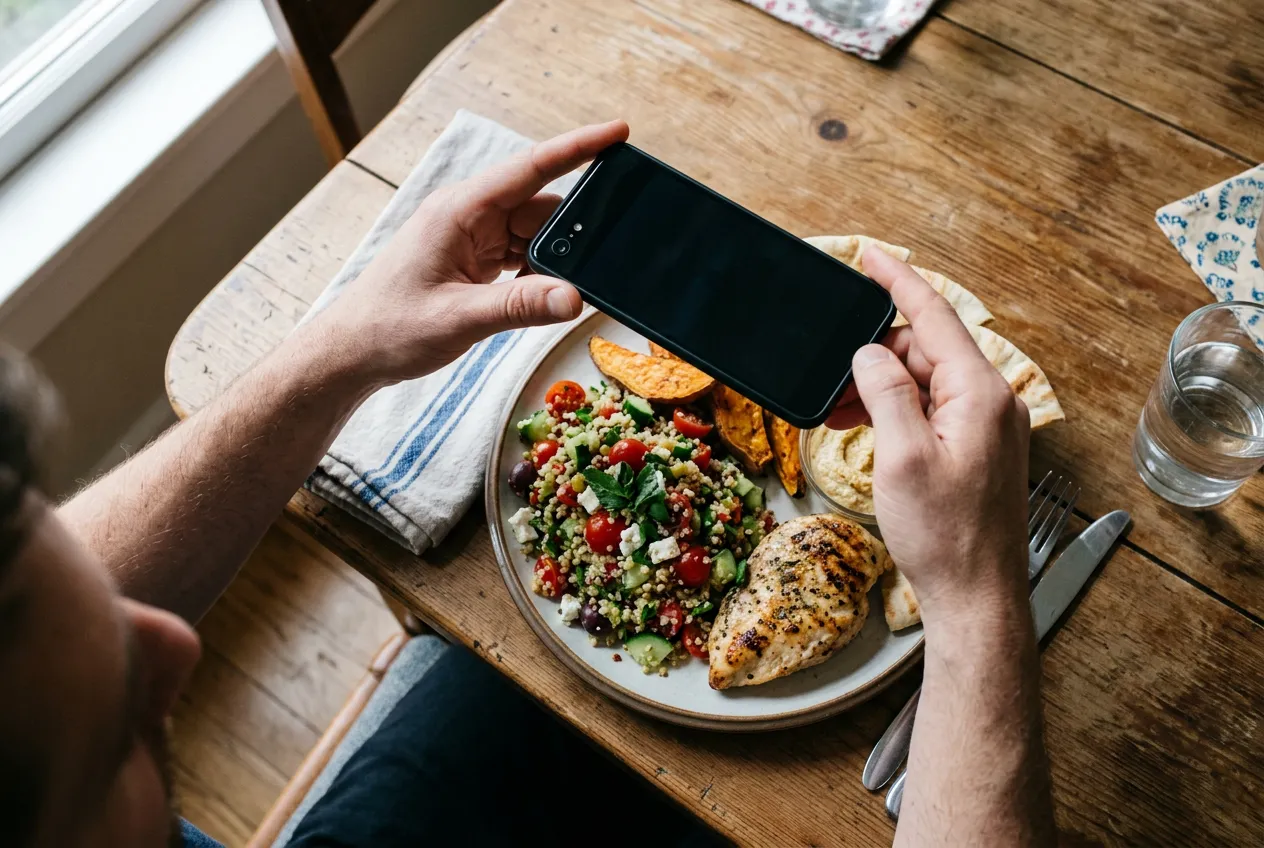
Point your phone at a plate of food, tap once, and an app tells you it’s 620 calories with 32 grams of protein. No searching a database. No weighing chicken breasts. It feels like magic, and it’s the fastest-growing corner of the nutrition app world.
But how does a photo calorie counter actually pull numbers out of a picture? And can you trust those numbers? We’ve covered whether photo calorie tracking works at all before. This post goes deeper: the technology under the hood, the honest state of the research, and how the leading apps stack up.
How a Photo Calorie Counter Actually Works
Every photo-based tracker runs your picture through roughly the same three-step pipeline. Understanding it explains almost everything about when these apps nail it and when they whiff.
Step 1: Food identification. Computer vision models trained on millions of food images look at your photo and decide what’s on the plate. Grilled chicken, white rice, broccoli. Modern AI models are genuinely good at this part, especially for common, clearly visible foods.
Step 2: Database matching. Once the app knows it’s looking at rice, it pulls nutrition data from a food database (most trace back to sources like the USDA’s food data). This step is usually solid, though “muffin” can mean anything from 180 to 600 calories depending on which database entry gets picked.
Step 3: Portion estimation. The app guesses how much food is there. From a flat 2D photo, that means inferring volume and weight from visual cues like plate size and food height. Some apps add depth data from your phone’s sensors to build a rough 3D model of the plate.
Your final calorie number is all three steps multiplied together. An error in any one of them compounds through the rest, and step 3 is where things usually go sideways.
Why Accuracy Varies So Much
A camera can identify a banana all day long. What it can’t do is see inside your food.
Portion size is the biggest problem. A photo flattens a bowl of pasta into pixels, and the app has to guess how deep that bowl goes. Stack food, use an oversized plate, or shoot from directly overhead, and the geometry gets harder.
Then there are invisible calories. The tablespoon of olive oil your vegetables were cooked in adds about 120 calories and leaves almost no visual evidence. Butter, dressing, sugar in sauces, full-fat versus skim milk in a latte. None of it shows up in pixels.
Mixed dishes make both problems worse. A 2023 systematic review in Annals of Medicine looked at 52 studies of AI image-based dietary assessment and found average calorie errors ranging from under 1% to over 38% against ground truth. A consistent pattern: errors were smaller for photos of single foods than for plates with multiple foods. A lone apple is easy. A burrito is a mystery wrapped in a tortilla.
What the Research Actually Says
Two findings matter most here, and they point in different directions.
The optimistic one first. Google researchers built Nutrition5k, a dataset of over 5,000 real cafeteria dishes where every single ingredient was weighed. Using it, they trained a model that beat professional nutritionists at estimating calories from images. Adding depth data improved predictions even further. So the ceiling for this technology is genuinely high. Well-built AI can out-guess a trained human.
Now the reality check. In July 2026, researchers from the NIH’s National Institute of Diabetes and Digestive and Kidney Diseases tested four popular apps (MyFitnessPal, Lose It!, Cal AI, and Appediet) against 102 meals with precisely measured nutrition. The result: calorie and fat estimates ran about one-third too low on average, with apps underestimating meals by roughly 250 to 345 calories. Carb estimates were more consistent. Worth knowing: these findings were presented at the American Society for Nutrition’s annual meeting and haven’t been through full peer review yet.
So the honest summary is this. The technology can be impressively accurate in controlled research settings, but the apps in your pocket still miss by meaningful margins on real-world meals, and they usually miss low. If you’re eating at what your app says is maintenance, you might quietly be a few hundred calories over.
Comparing the Leading Photo Calorie Counters
Here’s how the big names approach the problem. Features and pricing verified as of mid-2026, though both change fast in this space.
Cal AI is the app that made photo logging famous, mostly through TikTok. Snap a photo and get calories plus macros, with barcode scanning and a food database as backup. There’s a free tier with 3 AI scans per day; premium runs about $30 per year, with weekly plans also available. Notable: MyFitnessPal acquired Cal AI in a deal announced in March 2026, so expect the two products to converge over time.
MyFitnessPal takes a different angle with Meal Scan, a Premium-only feature. Rather than spitting out one calorie number, it identifies what’s on your plate and suggests matching verified entries from its massive database, which you confirm. Less magical, more controllable. A 2026 update also lets iOS users photograph a meal now and log it later. Premium costs $19.99 per month or $79.99 per year.
SnapCalorie has the strongest research pedigree. It was founded by ex-Google AI researchers (including a Google Lens co-founder) and grew out of the same line of work as Nutrition5k. On supported iPhones it uses depth sensing to estimate portions in 3D, and the company claims its estimates beat trained nutritionists on average. The free plan allows 3 AI photo logs per day; unlimited scanning requires an annual subscription.
Foodvisor is one of the veterans of photo recognition and leans into nutrition coaching. The free version handles manual logging with a limited number of AI scans; a premium subscription removes the scan cap and adds coaching content and recipes. Its recognition is solid on simple plates and weaker on mixed dishes, which, to be fair, describes every app on this list.
Lose It! offers Snap It, its photo logging feature, with its newest model built to recognize complete dishes rather than just individual ingredients. Free members can try photo logging, and full access comes with Premium at $39.99 per year, which is on the cheaper end for what you get.
AI Calorie Tracker takes the same snap-first approach with photo, text, and barcode logging in one simple interface. Full disclosure: it’s ours, and it’s a paid app. We built it around the idea that editing the AI’s guess should be fast, because no photo estimate should be treated as final.
No independent research has crowned a single most accurate app. The NIH study found all four apps it tested underestimated meaningfully, and it didn’t test every competitor. If you want a deeper feature-by-feature breakdown, we compared the best AI calorie trackers of 2026 separately.
How to Get More Accurate Results From Photo Logging
You can’t fix the AI, but you can feed it better evidence. A few habits close most of the gap.
Shoot from a 45-degree angle. Directly overhead flattens food and hides height. An angled shot gives the model more geometry to work with. Get the whole plate in frame, in decent light.
Include a size reference. A fork, your hand, a standard dinner plate. Familiar objects help the model (and you, when reviewing) calibrate portions.
Log invisible calories manually. Cooking oil, butter, dressing, sugary sauces. The camera will never see them, so add them as separate entries. This one habit probably matters more than everything else combined.
Always review the guess. Every major app lets you edit identified foods and portion sizes before saving. Treat the AI’s output as a first draft. If the app says 4 ounces of chicken and you know it was 8, fix it. Ten extra seconds per meal.
Use the right tool per food. Barcode scan packaged foods, since the label data beats any visual estimate. Save photos for plated, unpackaged meals where they actually add value.
Stay consistent and watch the trend. Even an imperfect estimate is useful if it’s consistently imperfect. Your calorie count is probably a little wrong anyway, even with a food scale, and tracking still works because trends matter more than any single number. If your weight isn’t moving the way your logs predict, adjust your target down a bit and keep going.
The Bottom Line
Photo calorie counters are real technology with a real blind spot. Food identification is largely solved. Portion estimation and hidden ingredients aren’t, which is why current apps tend to undercount by a few hundred calories on real meals.
That doesn’t make them useless. It makes them a fast first draft. The people who get results with photo logging are the ones who snap, review, correct, and stay consistent. The people who get frustrated are the ones expecting the camera to do all the thinking.
FAQ
How accurate are photo calorie counter apps?
Closer than random guessing, further than a food scale. A preliminary 2026 NIH study found popular apps underestimated calories and fat by about one-third on average, roughly 250 to 345 calories per meal. Accuracy is best on simple, visible foods and worst on mixed dishes and anything cooked with oil or butter.
Which photo calorie counter is the most accurate?
There’s no independently verified winner. SnapCalorie has the strongest published research lineage, and depth-sensing approaches have outperformed 2D photos in studies, but the NIH study found every app it tested missed by meaningful margins. Whichever app you pick, your accuracy improves more from reviewing and correcting estimates than from switching apps.
Can AI see oil, butter, or sugar in my food?
No, and this is the biggest weakness of photo logging. Cooking fats and dissolved sugars leave almost no visual trace but can add hundreds of calories. Log them manually as separate entries.
Do these apps overestimate or underestimate calories?
The available evidence points to underestimating. In the 2026 NIH comparison, all four tested apps came in low on calories and fat, while carb estimates were more consistent. If you’re using photo logging for weight loss, assume your true intake is somewhat higher than your log shows.
Is photo logging worth it if it’s not perfectly accurate?
For most people, yes. The main reason calorie tracking fails is that people quit logging, and photos cut the effort down to seconds. A consistent rough estimate beats an abandoned precise one. Just review each entry and correct obvious misses.

Derek Clark
Co-founder of Vima Fitness. Building simple, privacy-focused fitness apps for iPhone and Apple Watch since 2011. Runner, cyclist, and firm believer that fitness apps shouldn't need a tutorial.